

Compliance & Governance
Patching, policy and everyday IT tasks run on the agent that fixes issues.
When a reimage leaves BitLocker off, the same agent that fixes Outlook turns it back on. Drift gets corrected on the laptop, not added to a report.
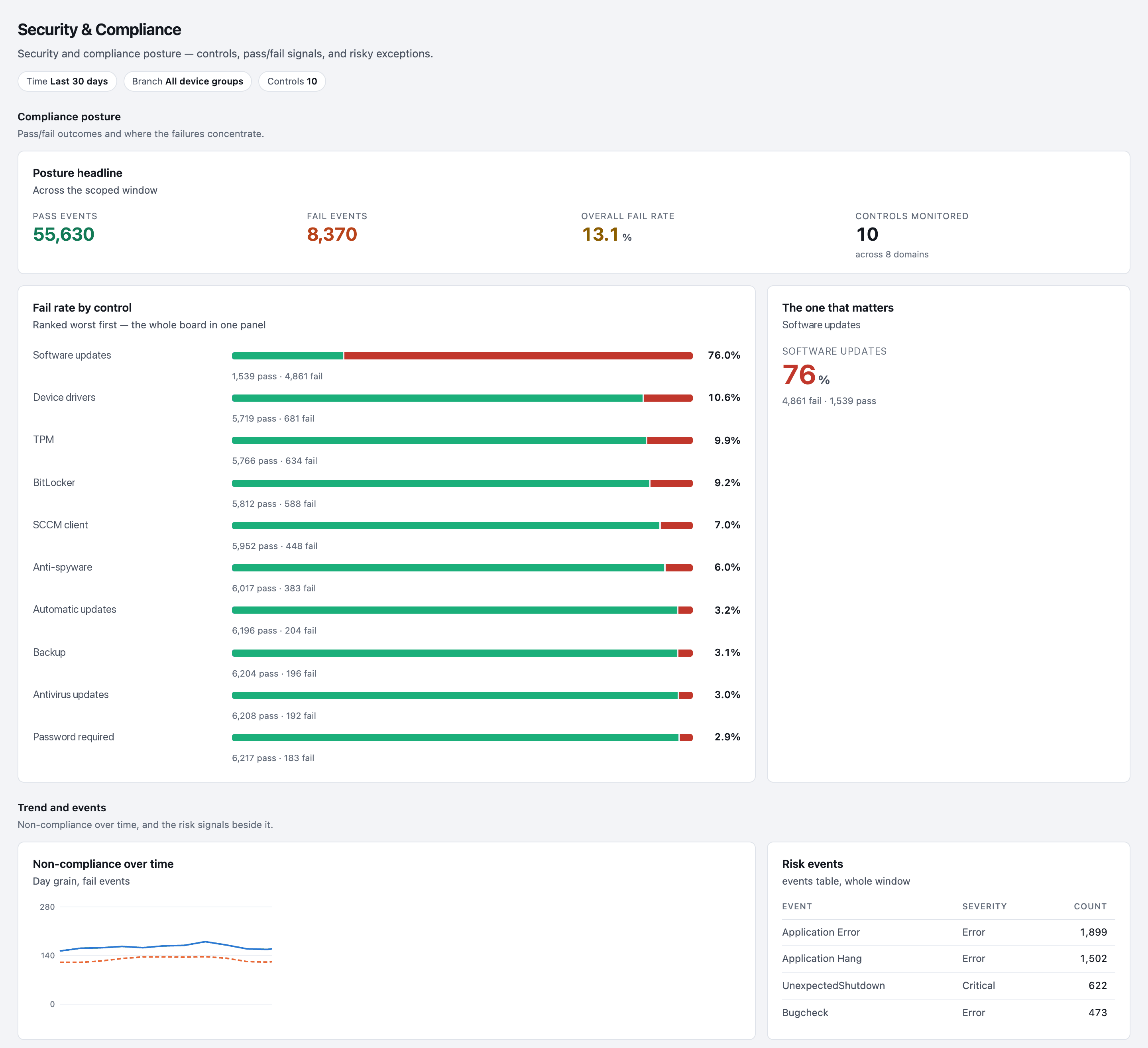
Ranked worst first
- Software updates
76.0% 1,539 pass · 4,861 fail - Device drivers
10.6% 5,719 pass · 681 fail - TPM
9.9% 5,766 pass · 634 fail - BitLocker
9.2% 5,812 pass · 588 fail
One agent installs, patches, enforces and fixes.
Installing software, applying a patch and holding a policy use the same built-in actions as a fix, so they are built, staged, published and logged the same way.
One agent, six jobs
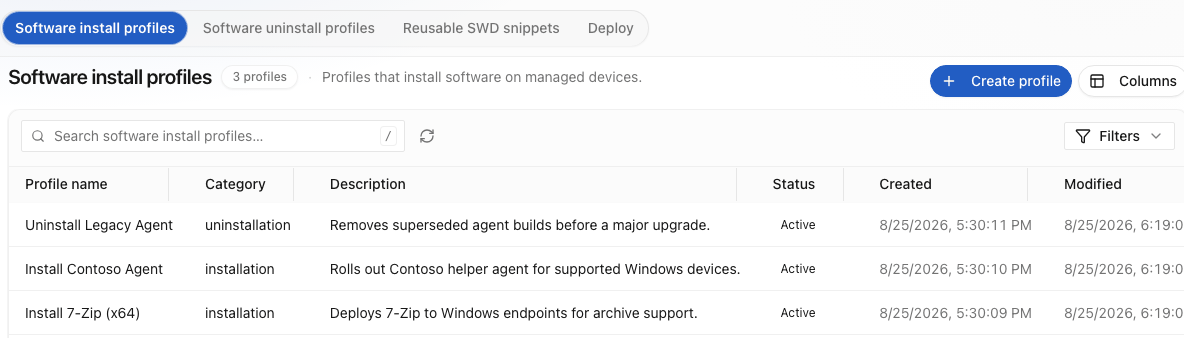
Software distribution
Install, update, repair and roll back by group. Push now with real-time remote execution, or stage it for a pilot ring first. A failed install is treated like any other fault and repaired on the spot. Unused seats come back through licence harvesting for Microsoft 365, Adobe and Zoom.
Patching
Operating system updates plus third-party patching for apps like Chrome, Zoom, Adobe and Teams, with status per device. Patches are rolled back if they break something.
Policy and compliance
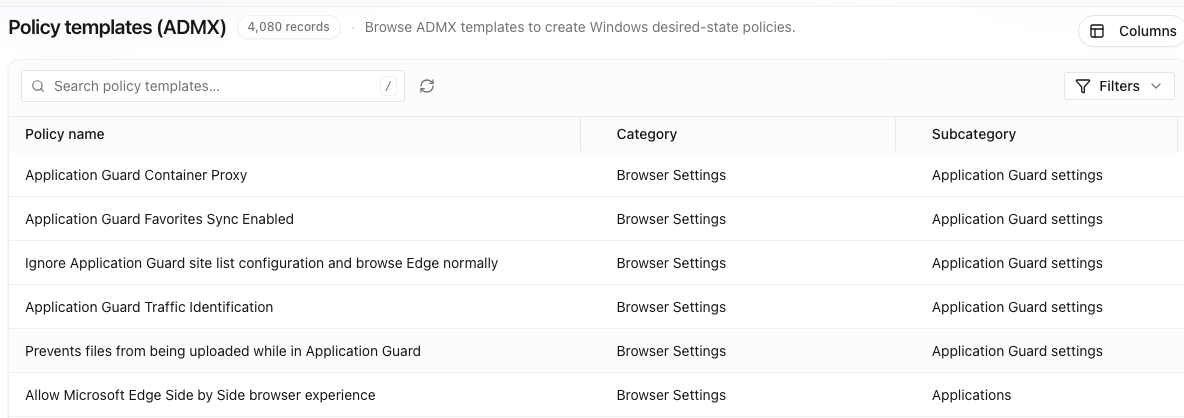
Start from pre-built Group Policy (GPO) baselines and the Windows ADMX templates, with 3,000+ device policies ready on day one. Drift is detected and restored on the device.
Device protection
Lockdown baselines for registry protection, program execution control, network packet filtering and USB control.
Everyday IT tasks
Profile resets, printer setup, drive mapping, certificate renewal, onboarding sequences, cache cleanup, restore points and scheduled restarts. Each too small to justify a project; here, cheap enough to build.
Data collection
A scoped, published profile, so a developer laptop is measured differently from a kiosk.
Policies
Security settings, encryption state, required software, group policy and protection baselines.
Starts when a setting drifts.
- BitLocker key escrow
- Browser policy baseline
- GPO baseline · workstation
- GPO baseline · kiosk
- SOC 2 evidence pack
- GreenIT power policy
- Firewall state check
- Required software present
- Screen lock timeout
- USB storage policy
Outcome packs, such as SOC 2 and GreenIT, are in the automation library.
Knowing which devices are out of policy isn’t compliance.
You set desired state per device group. When a laptop drifts, the correction runs on it, and the record shows how many days it spent out of policy.
Fail rate by controlRanked worst first
Thirty days of one laptop
Encryption off after a reimage · restored
Required agent missing · reinstalled
Profile failed to apply · reapplied
In policy Drift detected ✓Corrected on the device
Ask any compliance tool
- Is this device compliant right now?
- Yes or no as of now, per device and per policy.
- When a setting drifts, when is it corrected?
- On the device, when it drifts, and the result is checked.
- What can you show the auditor?
- What ran, who approved it and how long each device spent outside policy.
- Does it replace Intune?
- No. It connects to Microsoft Intune and Configuration Manager and works beside them. When a setting fails to apply or drifts later, the agent puts it back and records it.
Each device group carries its own baseline, so a developer workstation and a shared kiosk aren’t held to one standard. How changes are governed.
Patches go to a pilot ring first.
Then to the rest of your fleet, checked on each device and rolled back if a patch misbehaves.
Pilot 50 devices
Done
Ring 1 2,400 devices
Rolling · ↺ 1 rolled back
Estate 18,420 devices
Waiting
Every run is on the record, including the ones nobody watched.
Work starts on a fault, a request, a rollout or a recurring schedule, which runs in the Scheduled mode. On-demand runs can require a person to approve or deny the run first.
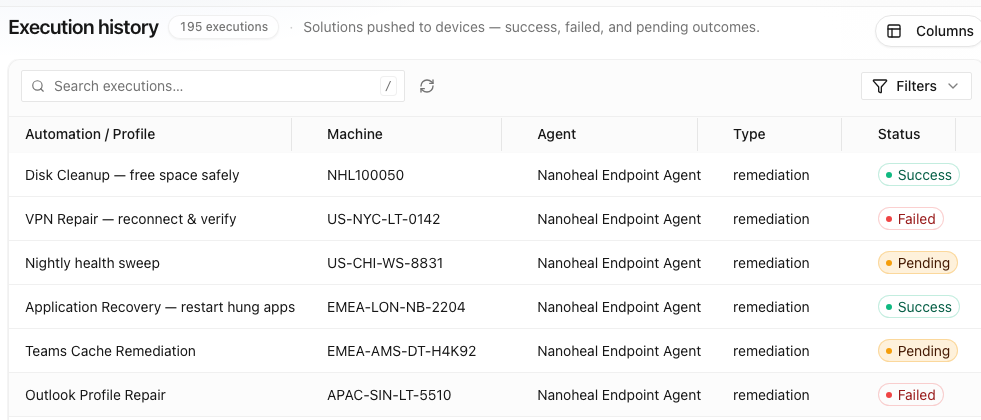
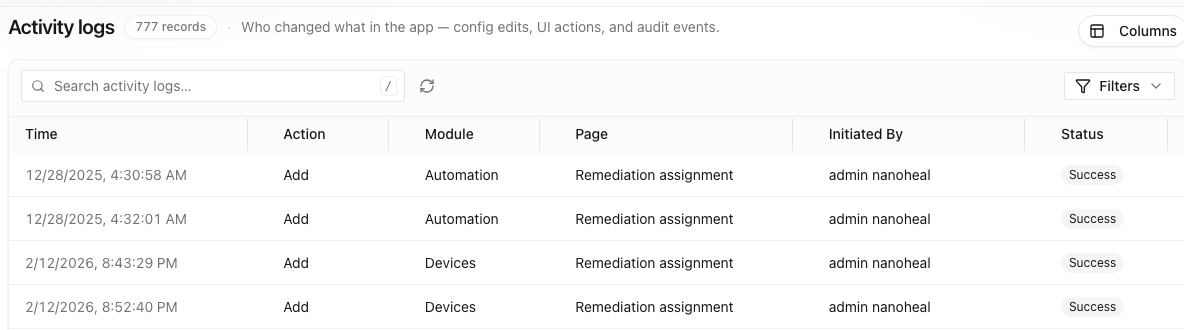
Every run lands in the execution history as success, failed or pending, per device, so the desk can see what happened without asking the employee. How governance works.
Compliance is the device back in policy, not a report saying it isn’t.