

Digital Experience Automation, explained
What is DXA?
When the print spooler stops on a laptop, DXA works out why, runs the fix on that device and checks printing works again. Nobody calls the desk.
Print Spooler terminated unexpectedly Resolved.
Ticket never raised. ✓ Fixed and verified on the device · Ticket avoided
A DEX tool on its own
The print spooler stops. The dashboard shows a dip and raises an alert. No script on the short list covers it, so an engineer checks the knowledge base and restarts the service by hand. Next week it happens again, on another machine.
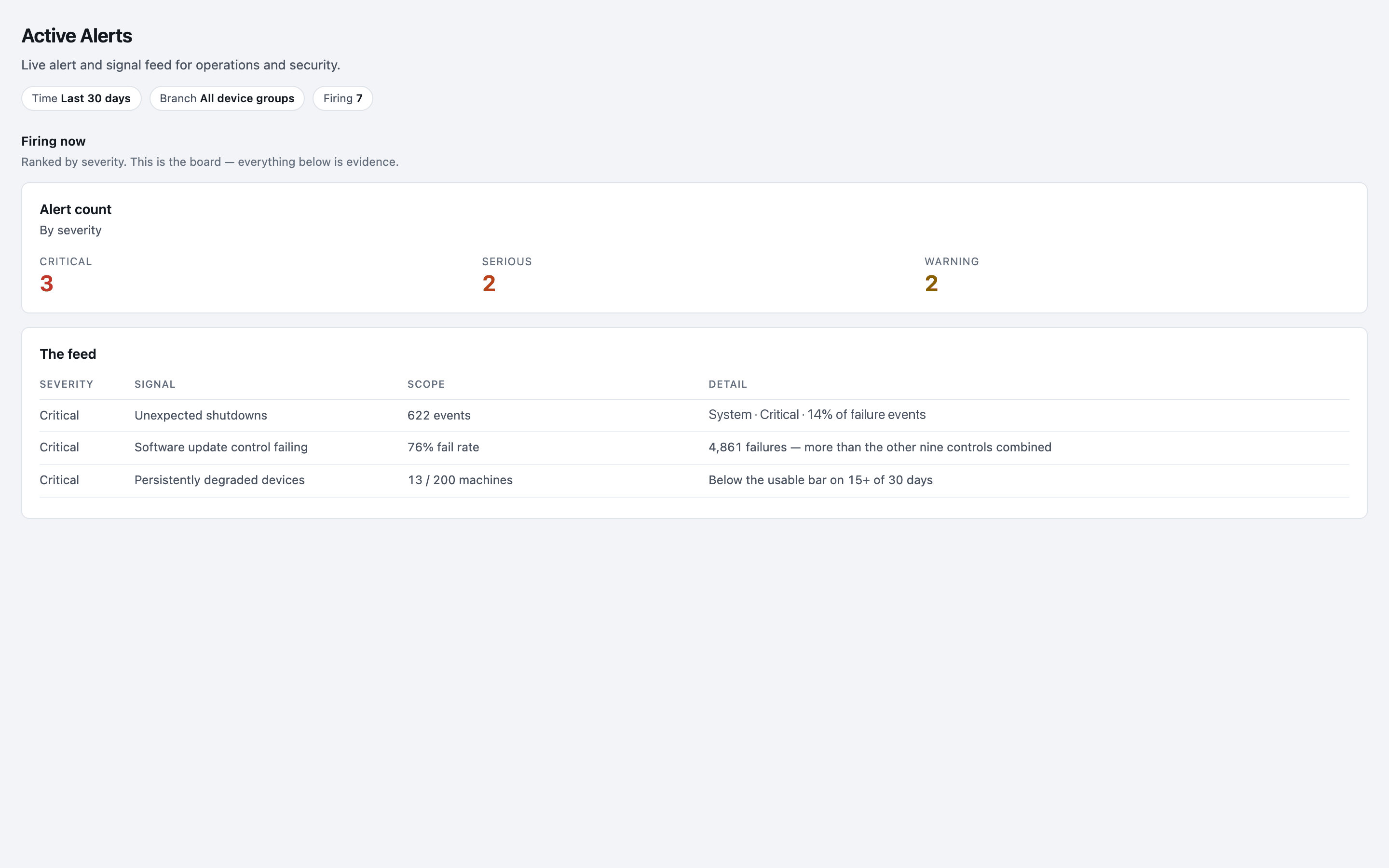
Alert countBy severity
Critical3
Serious2
The feed
| Signal | Scope |
|---|---|
| Unexpected shutdowns | 622 events |
| Software update control failing | 76% fail rate |
| Persistently degraded devices | 13 / 200 machines |
With DXA
The spooler stops and the OS says so. Haya reads the fault in context, and the tested fix stops the service, clears the queue, repairs the key and checks printing works. Logged, and nobody called.
- 00.00 OS emits Event 7031: Print Spooler terminated unexpectedly
- 00.03 Nanoheal picks it up the moment the OS reports it
- 00.41 Matched to a fix in the library: spooler-corrupt-queue
- 00.88 Steps run: stop service · purge queue · repair key · restart
- 01.62 Printing works. No ticket raised, and the fix now covers every device.
From seeing to acting
The same four steps, every time: the device reports a problem, Haya reads it against what your organisation knows, the right fix runs on the device or in the system that needs it, and the result is measured.
-
Spot it
The device reports a problem, or Haya spots a pattern nobody wrote a rule for.
-
Understand it
Haya reads it against your DEX data, your SOPs, past tickets and the CMDB.
-
Fix it
The approved fix runs, on the device or in the system that needs it.
-
Check it
The experience score shows whether it worked, and that becomes the next insight.
In the product: spot it
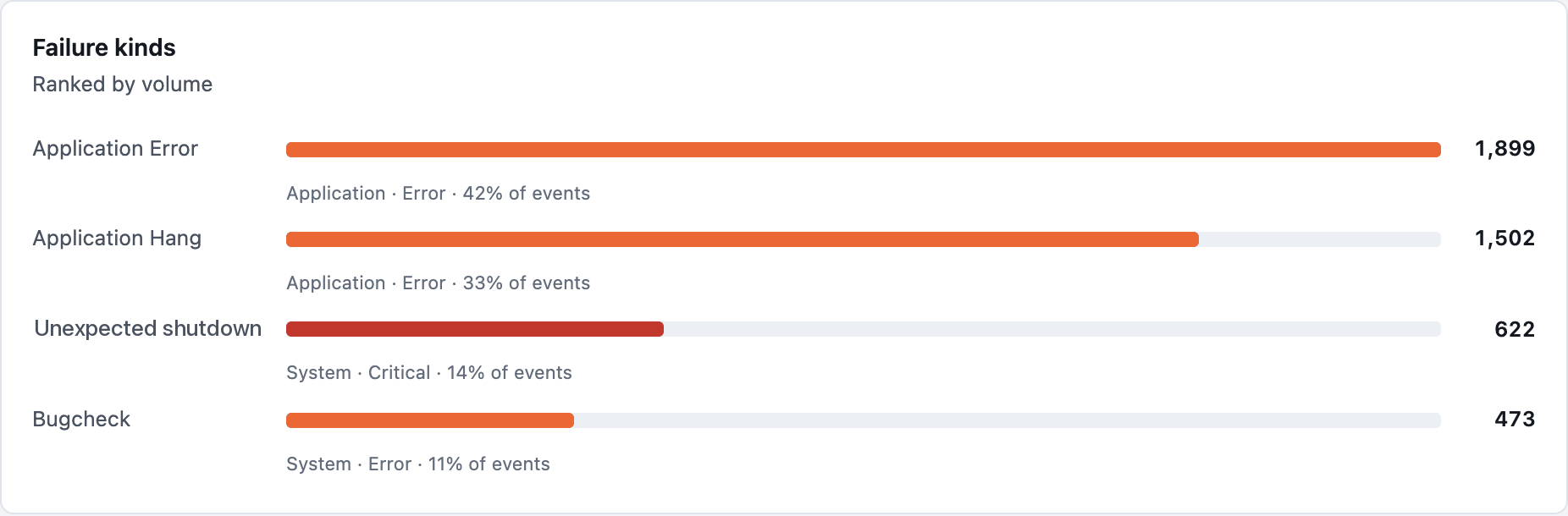
Failure kindsRanked by volume
In the product: understand it

Why are contact-centre laptops failing to print this week?
312 print spooler crashes in 30 days, up 4× on the usual level. 88% are on Windows 11 build 22631 at the Austin site, starting after Tuesday’s update.
In the product: fix it
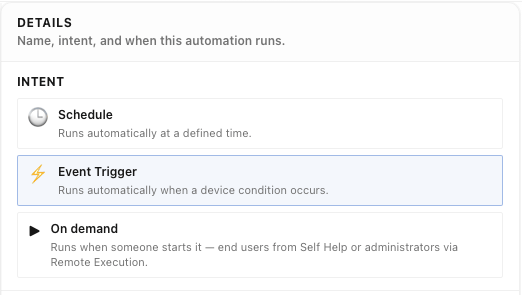
In the product: check it
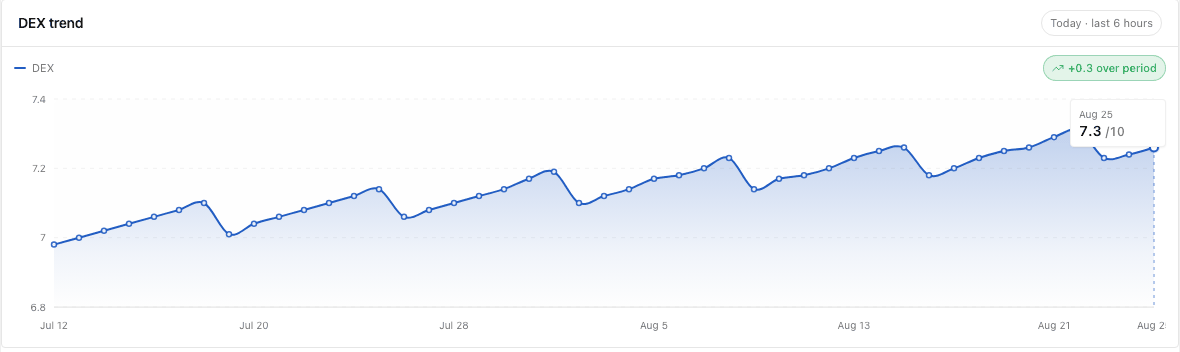
Why it matters.
Most lost time comes from problems IT has already seen. With DXA, a problem you fix once stays fixed on every laptop in your fleet, the next time it comes back.
The fix is approved once and then reused three ways: it runs on its own (Autoheal), it is offered to the employee (Self-service), or the desk runs it (Assisted IT). It is built from actions the agent already has, so each new one costs less than the last.
- Not a dashboard: it acts on what it finds.
- Not a pile of scripts to maintain.
- Not an AI improvising on your machines.
3h 18m
of productive time lost by an employee per incident.
HappySignals Global IT Experience Benchmark. Industry data, not a Nanoheal measurement.
DXA, DEX, autonomous endpoint management and AI agents.
The terms overlap. This is what each one is mainly for.
Where self-healing fits.
Self-healing usually means the device-side part of this. In DXA it is one delivery mode, Autoheal, inside a loop that also reaches ITSM, the directory and any system with a standard API, and that writes new capabilities rather than only running old ones.
Where AI fits.
AI earns its place before anything runs: finding the anomaly, forecasting the failure, ranking the cause and drafting the fix. It should not decide, on its own, what changes on a production machine. ISG reports that buyers still need AI transparency, approval processes and outcome validation. A validated capability that checks its own result is the plainest answer to that.
Four questions to ask before you buy.
Ask them of any platform you evaluate, including ours.
- Governance
Who decides what runs?
If the platform uses AI, ask what it can change without a person’s validation. The right answer is nothing.
- Library
What works on day one?
A blank editor means months of building before the first problem goes away. Ask how many capabilities ship ready to run.
- Verification
How do you know it worked?
A capability that ran is not a problem that is solved. Ask whether each run checks its own result.
- Measurement
Can you show the difference?
Ask for the experience score and ticket avoidance, before and after, per capability.
How Nanoheal answers each, with the screens that show it
Ask each vendor to resolve your top three call drivers, live, and to show you the audit log afterwards.
DEX tells you.
DXA acts.
DEX points at what is wrong. DXA reads the finding in context, runs the fix and scores the result. Nanoheal does both, on one agent.
DEX measures
Devices, applications, network and sentiment, on one score.
DXA acts
The tested fix runs where the problem is: on the device, or in the ticket, the directory or Teams.
The score proves it
The same score shows whether the fix worked.