

AI-driven agent workspace
Every ticket opens with the device, the cause and the fix.
Your agents see what the laptop has been doing, what Haya, Nanoheal’s AI and analytics, thinks is wrong, and the approved fix that matches, in one place. One click runs it.
Four tabs become one screen.
An agent on a laptop ticket usually opens the ticket, a remote session, the device console and the knowledge base, then works out the cause. The workspace puts the answers side by side.
- 01
The ticket
From ServiceNow or your ITSM, matched to the employee’s device.
- 02
The device
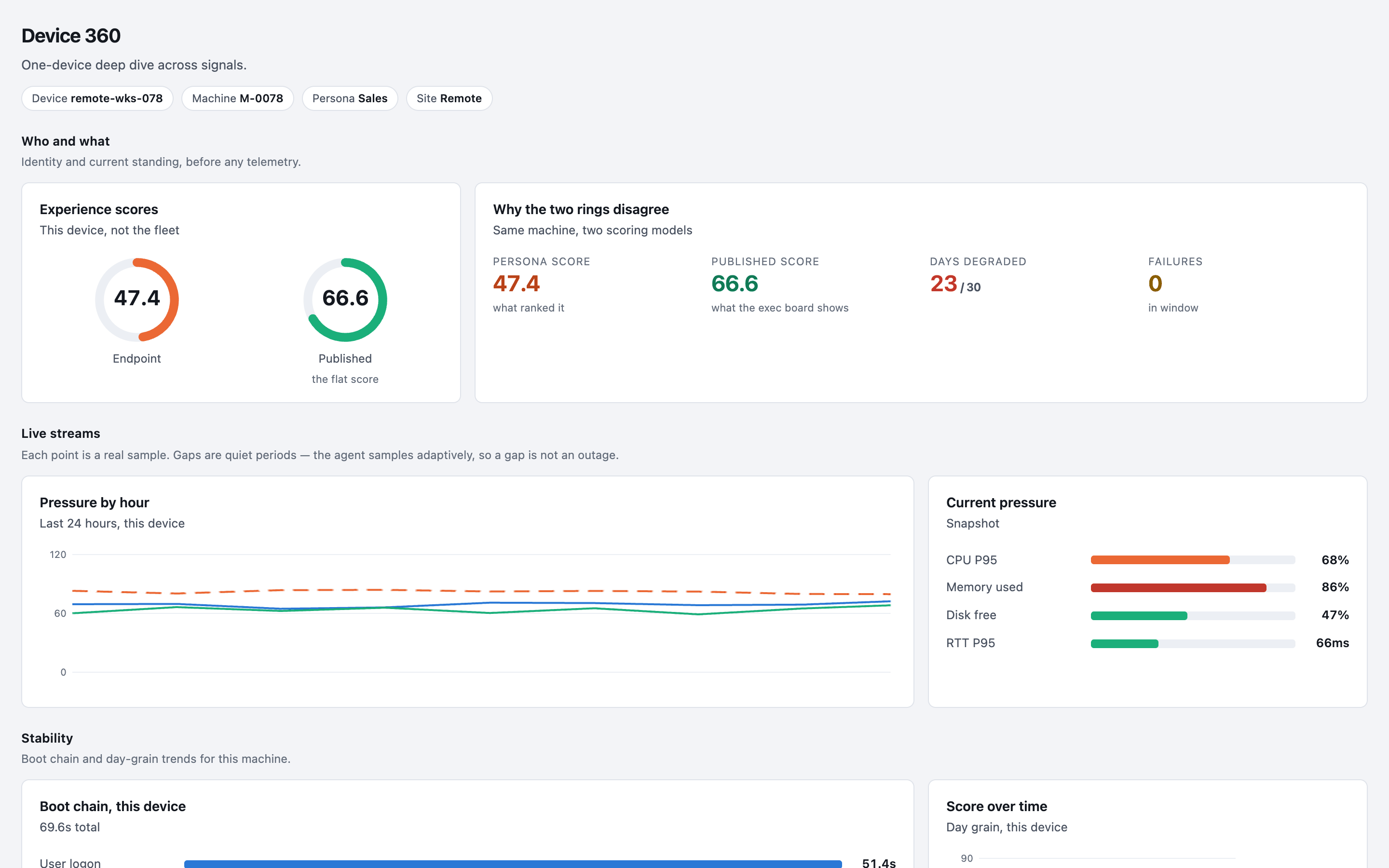
Its experience score, live readings and what changed recently: the same Device 360 view IT uses.
- 03
Haya’s read
The likely cause, and which sites and groups show the same thing, so one ticket can close forty.
- 04
The fix
The approved library entry that matches, run through real-time remote execution. The result is written back to the ticket.
Ask about the device in plain English.
“What changed on this laptop since Tuesday?” “Is anyone else on this build seeing it?” Haya answers with the same numbers the dashboards show, and says so when a question can’t be answered from the data.
Agents run approved fixes. Nothing else.
The workspace offers only entries your team has approved for that group of devices. A fix can need a person to approve or deny the run first, and every run is logged with who ran it and the check afterwards. When the same fix keeps working, switch it to Autoheal and the ticket stops arriving at all.
The agent sees the device, the cause and the fix in one place, and the fixes that keep working stop needing an agent.