

Click through Nanoheal.
Six screens from the product, in the order the work happens. Click what’s highlighted to move on.
The tour, step by step
01 / 06
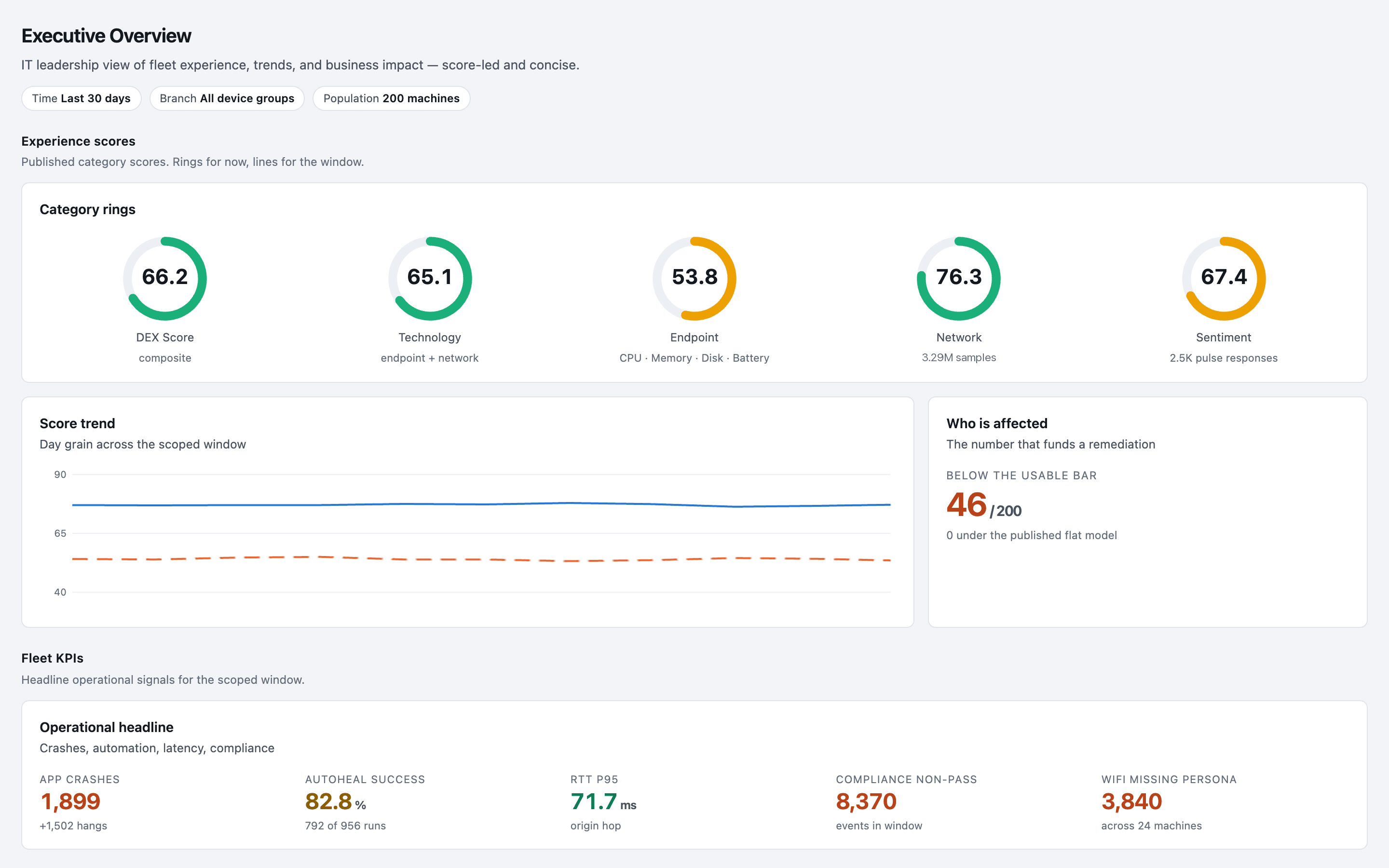
See what is slowing people down.
One score across devices, applications, network and sentiment. Endpoint is the low one, at 53.8.
02 / 06
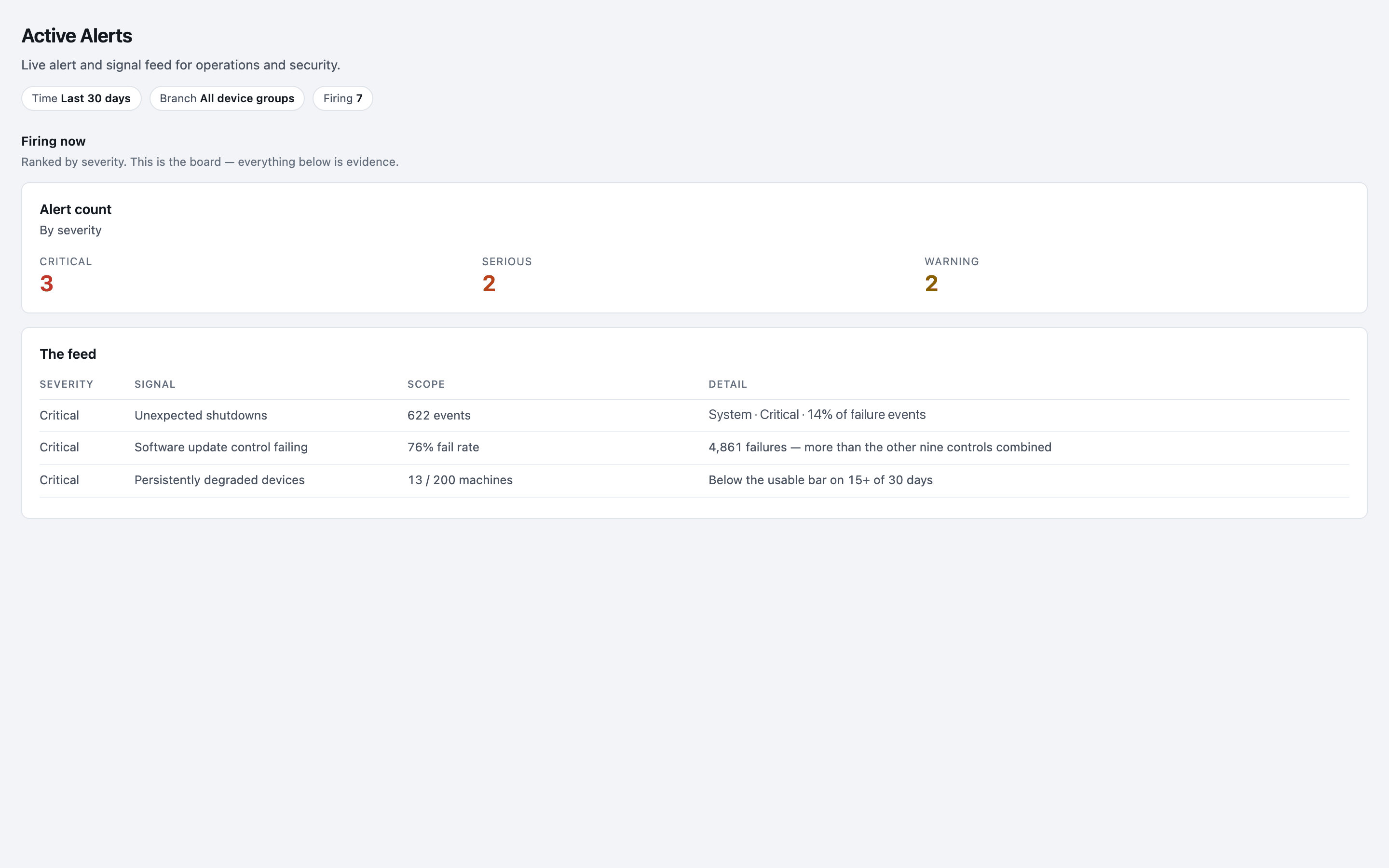
Find out why, and how many it affects.
Haya ranks what is firing by severity and scope: 13 of 200 machines have been below the usable bar on 15 or more of the last 30 days.
03 / 06
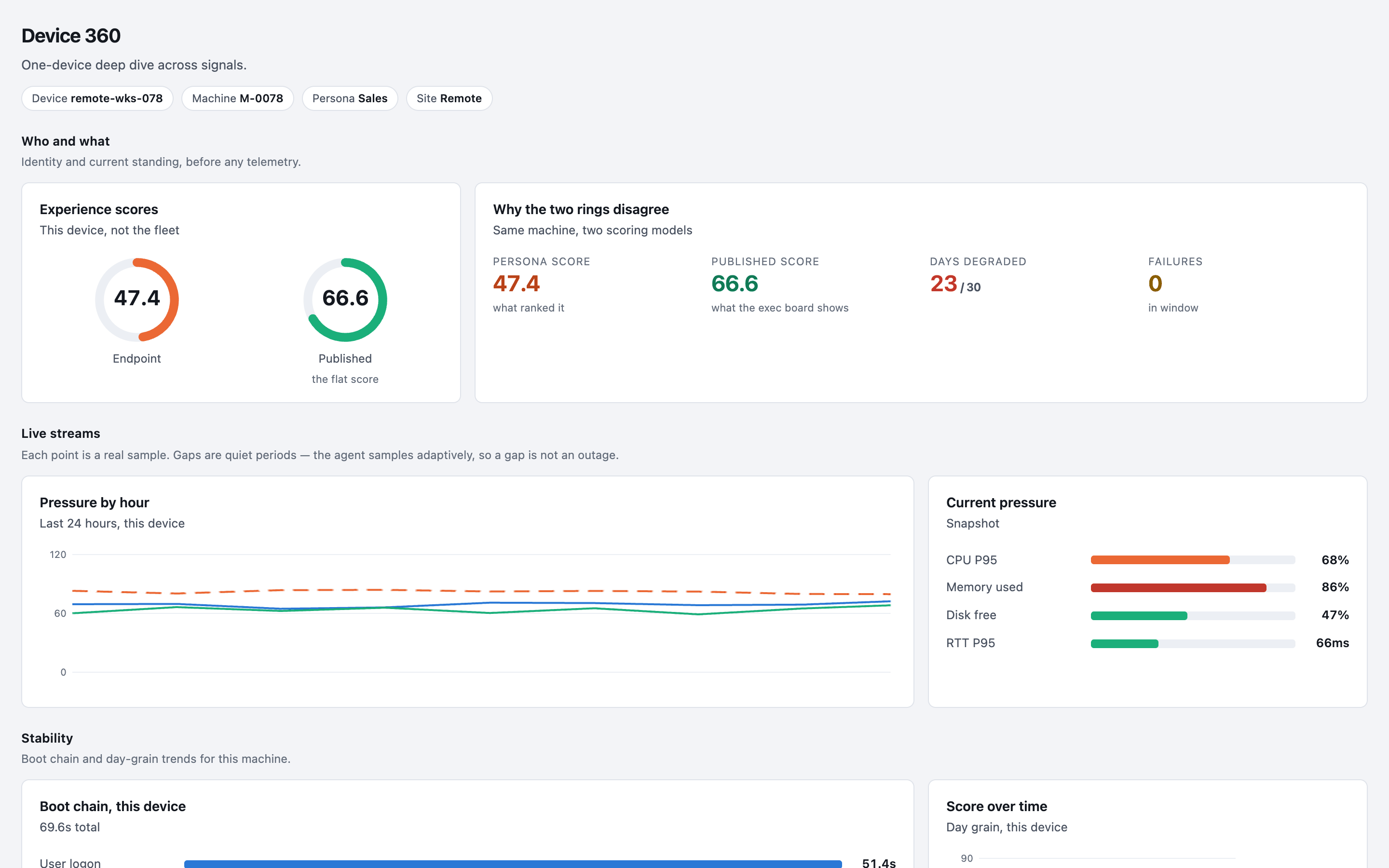
Open a single device.
Device 360 shows one laptop’s own scores and what is under pressure, so the desk starts with the facts.
04 / 06
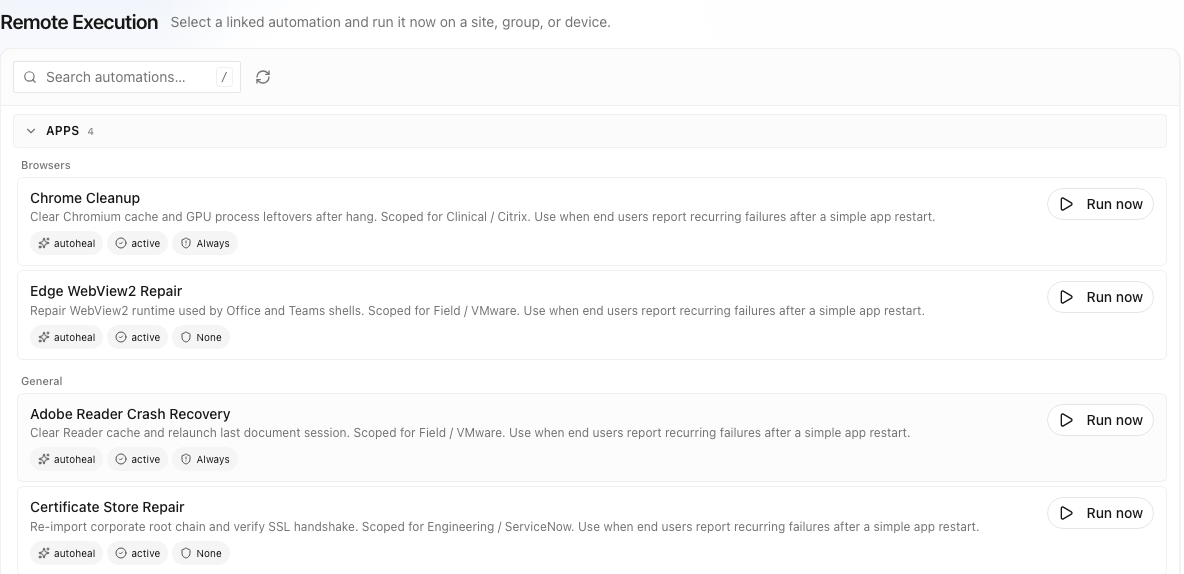
Run the approved fix.
Fixes are linked to the problems they solve, and run on a site, a group or one device: by themselves, offered to the employee, or from the desk.
05 / 06
Check every run.
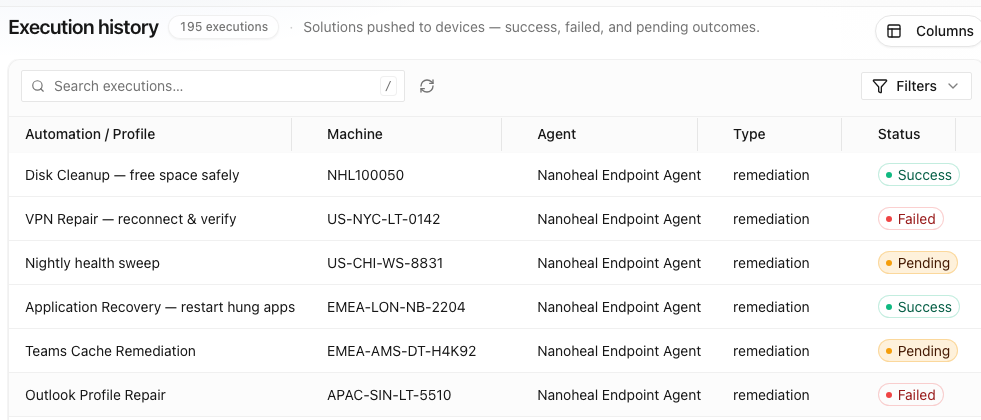
Every run is recorded per device as success, failed or pending, and the score shows whether people noticed.
06 / 06
No fix yet? Describe one.
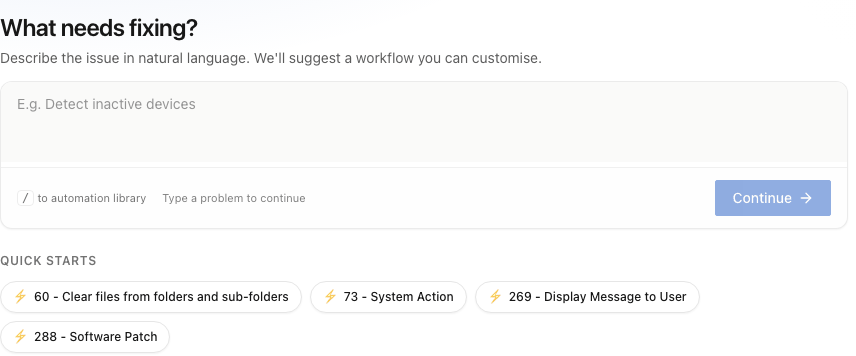
Type the problem in a sentence and an automation comes back for review, built from actions the agent already has.
Done · 06 / 06
That’s the whole loop.
See it run on your own tickets: send us a ticket export, we tell you how much Nanoheal covers out of the box, and you watch the biggest drivers resolve on a live device.
01 / 06 · See
See what is slowing people down.
One score across devices, applications, network and sentiment. Endpoint is the low one, at 53.8.
02 / 06 · Explain
Find out why, and how many it affects.
Haya ranks what is firing by severity and scope: 13 of 200 machines have been below the usable bar on 15 or more of the last 30 days.
03 / 06 · One device
Open a single device.
Device 360 shows one laptop’s own scores and what is under pressure, so the desk starts with the facts.
04 / 06 · Fix
Run the approved fix.
Fixes are linked to the problems they solve, and run on a site, a group or one device: by themselves, offered to the employee, or from the desk.
05 / 06 · Prove
Check every run.
Every run is recorded per device as success, failed or pending, and the score shows whether people noticed.
06 / 06 · Build
No fix yet? Describe one.
Type the problem in a sentence and an automation comes back for review, built from actions the agent already has.