

Scripts have to go looking for a problem. Nanoheal is told.
For the endpoint engineer who has written remediation scripts and kept them alive.
One dead spooler. Eight questions to ask of any fix.
Ask of any way you automate a fix
- How does it find out something broke?
- The OS raises the event, and that event is the trigger. Nothing polls.
- What does it cost when nothing is wrong?
- Nothing. No CPU, memory or battery is spent waiting.
- What ships to the device for each fix?
- A knowledge entry, measured in kilobytes, not executable code.
- Does the agent grow as you add fixes?
- No. It stays the same size at fix 200 as at fix 1.
- How long until the first fix runs?
- Day one, from the automation library.
- How do you know it worked?
- Each run checks that the symptom is gone.
- How are changes approved?
- Staged, approved and versioned publishing. Security reviews the agent’s set of actions once; a new fix adds settings, not code to review line by line.
- Who can build one?
- Anyone in IT, in the visual automation builder. Knowledge, not code.
Two of the answers, in the console
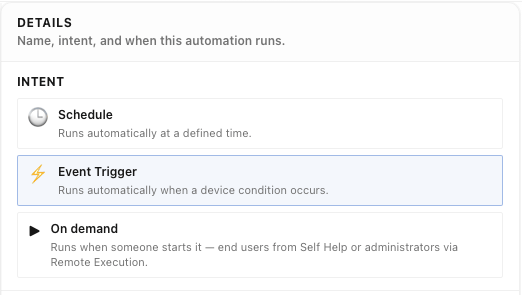
How does it find out something broke?
The fix waits for the device condition, not for a timer.
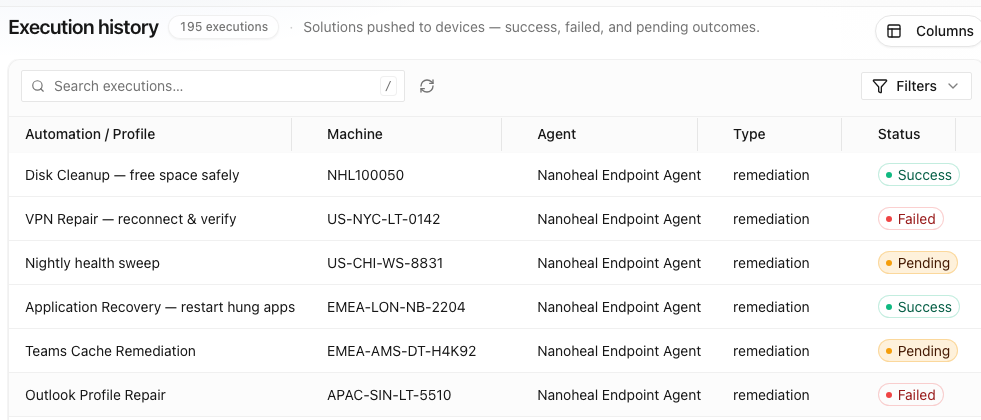
How do you know it worked?
Every run is recorded per device: success, failed or pending.
Each script carries three costs, and all three grow with coverage.
Scripts work. But each one costs you in detection, payload weight and drift, and all three rise with coverage, which is the thing you bought automation for.
Detection is free from the OS. Scripts pay for it again, on every machine.
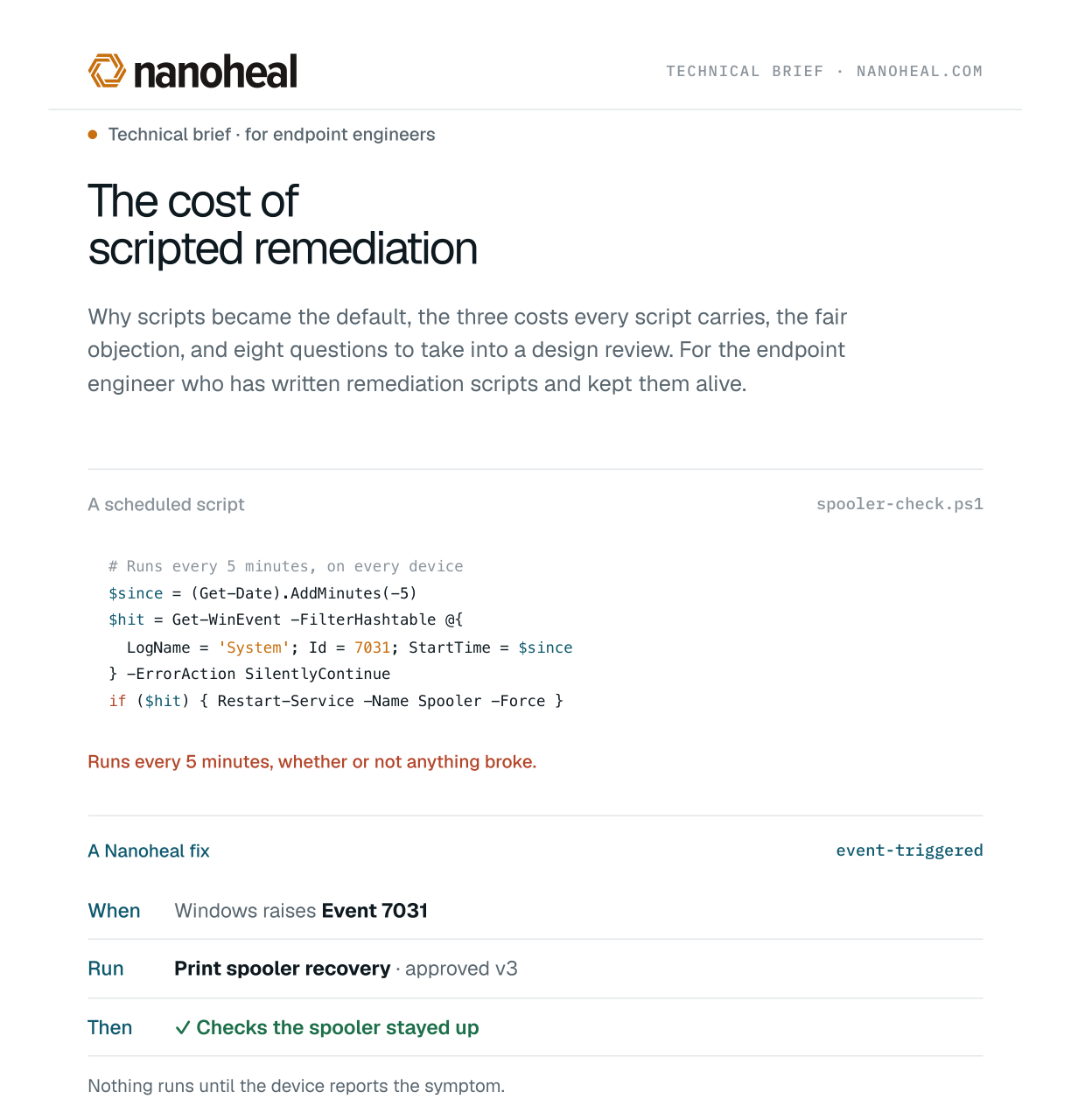
Take a print spooler that has died. Windows already knows: Event 7031 lands in the system log the instant it happens, unasked and free.
A polling interval is a dial with no good setting: fast detection or a light footprint, never both.
Tight means CPU, memory and battery spent on the healthy majority. Loose means the ticket is open before the automation wakes. Nanoheal never makes that choice: the OS event is the trigger, with no polling, no background probes, and detection latency is milliseconds.
Why a script can’t just listen for the event
A script cannot be told that. Something has to be awake to notice: a scheduled task re-reading the log, a resident process that never exits, an agent sweeping on a timer. Whichever you pick, you have built a second detector for a fact already published, and it runs on every machine for as long as the script exists.
Every script is a permanent passenger on every endpoint.
One script costs nothing. A few hundred, each carrying its own detection, logging, error handling and schedule, add up to an agent that has quietly become a workload in its own right. VDI feels it first, multiplied by session density. Laptops feel it as battery life.
Most IT leaders have seen the result without seeing the cause: coverage that plateaus, not for lack of ideas, but because nobody wants to add more weight to the fleet. Nanoheal’s execution layer is a fixed, signed set of execution capabilities that ships once. The next automation adds a knowledge entry measured in kilobytes, not another program, and the agent footprint stays flat as automations are added.
A script is a snapshot of an estate that has since moved on.
A script freezes the environment as it stood when it was written: this path, this key, this service name, this build. Each is a dependency on something outside your control. A feature update moves the path. A GPO change withdraws the permission. A vendor renames the service.
And the failure is quiet: the tickets drift back, and weeks later a review finds a regression nobody can explain.
Keeping what apart from how is the defence. The knowledge entry says “repair the spooler’s queue state”, and nothing more. The engine owns how that is done on each platform and build, and is updated centrally as one component instead of hundreds of scripts. And because each run checks its own result, a capability that stops working surfaces as a failed check, not as tickets creeping back.
A fixed set of actions can’t do everything. That is the trade, and it is a good one.
The set covers what endpoint remediation actually consists of, across the OS, software, network and policy. The long tail of real tickets is the same capabilities with different settings, rarely new computation.
The trade is explicit. You give up running arbitrary code on the endpoint. In return, nobody has to keep arbitrary code alive on the endpoint. For the rare job the built-in actions can’t do, a fix can hand the work to another system through a webhook or the REST API.
The ceiling on coverage is a price, not a limit. Change the price.
- In the libraryPrint SpoolerWhen Event 7031 fires · contact centre
- Same capability, new settingsWindows AudioWhen Teams has no sound · meeting rooms
- Same capability, new settingsBackground transferWhen updates stall · every device
- Same capability, new settingsAn in-house app’s serviceAfter the nightly update · Finance
The cost of scripted remediation
The whole case in one place: why scripts became the default, the three costs with their charts and code, the fair objection, and eight questions to take into a design review.
Web and PDF · about 5 minutes · no sign‑up